Anschließen der Surround-Lautsprecher | Bose Smart Soundbar 900
bose-smart-soundbar-900
Bose Smart Soundbar 900Verkauft von 2021 - 2023

Anschließen der Surround-Lautsprecher | Bose Smart Soundbar 900

Select whether to set up the surround speakers using the Bose app or the Bose remote:

Use the Bose app

To connect the wireless surround speakers using the Bose App:

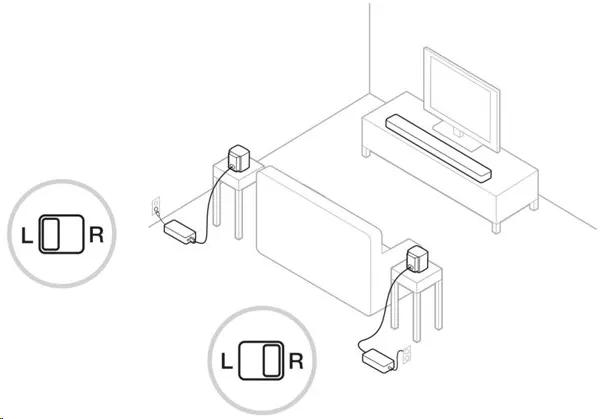
  1. Connect the surround speakers to the wireless receivers using the speaker wires and speaker adapters. Then set the L/R switches on the receivers: one to L (left) and the other to R (right).

     
  2. Connect the power cords from the receivers to AC (mains) outlets.
  3. In the Bose app icon, tap the Settings icon icon in the upper-right corner.
    Tip: If a different product is shown, tap the My Bose icon icon in upper-left corner then select the desired product.
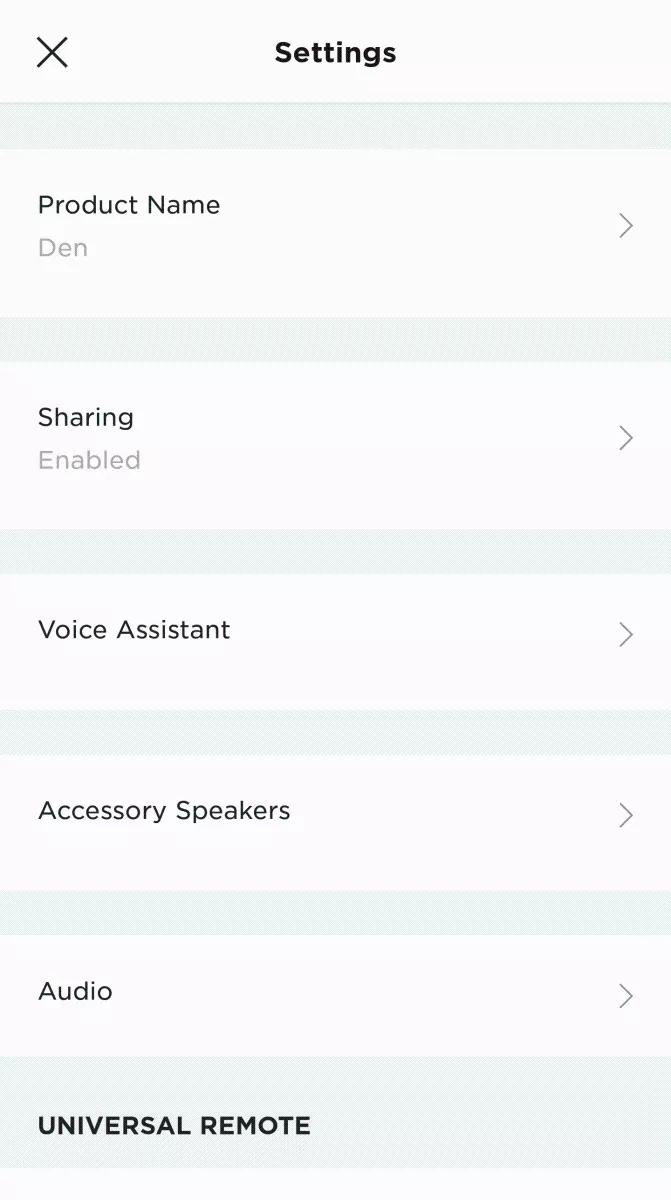
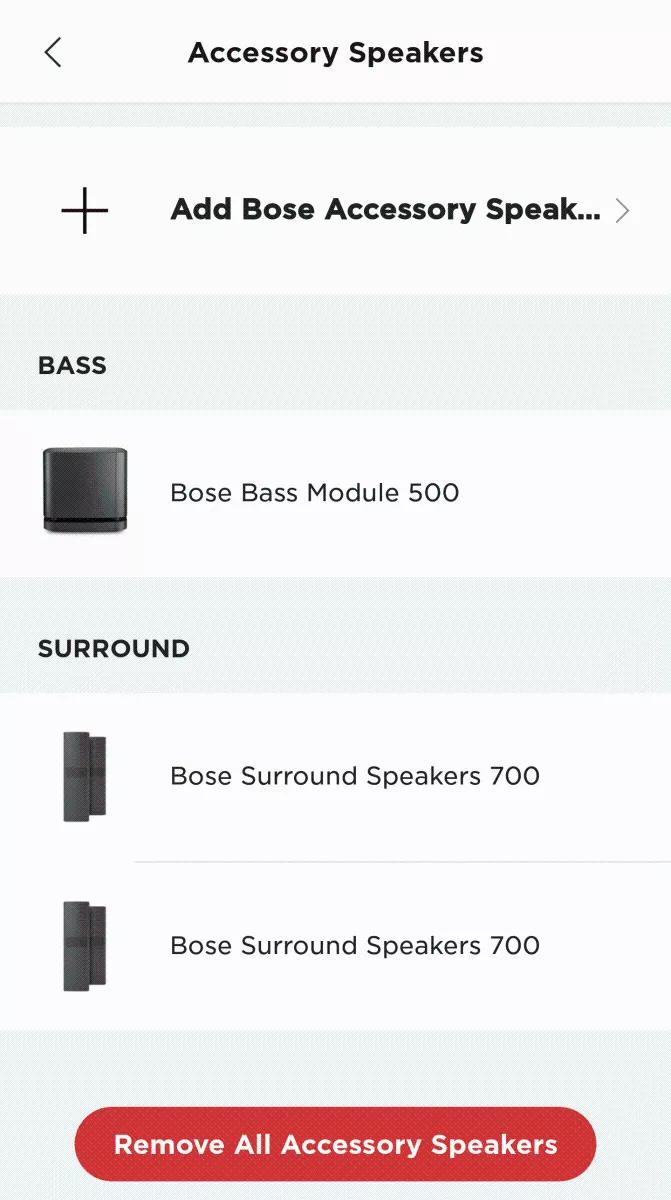
  4. Tap Accessory Speakers then select Add Bose Accessory Speakers
     
     
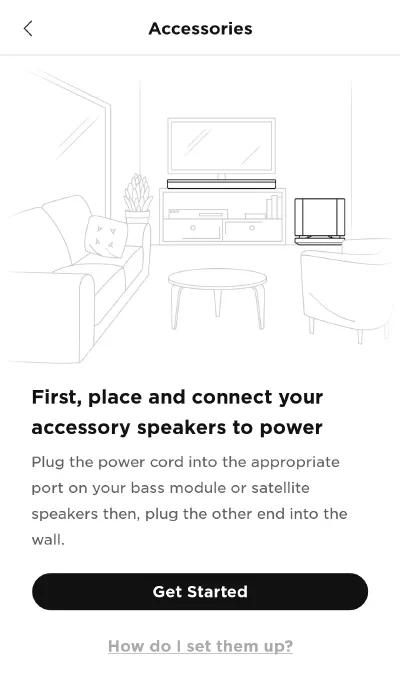
  5. Tap Get Started.

     
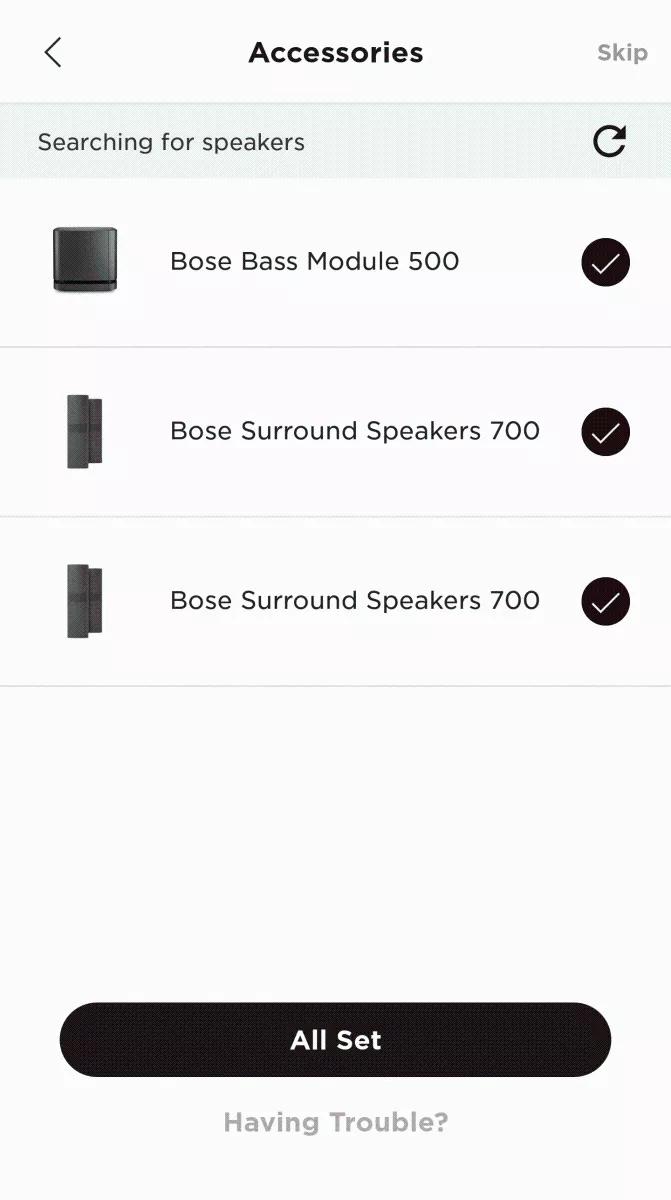
  6. Wait while your speakers are detected, then tap All Set.

    The speakers play a tone when connected.
Once connected, run the ADAPTiQ audio calibration to optimize the sound of your system with the surround speakers. For more info, see ADAPTiQ system setup and deactivation.
Use the Bose remote

To connect the wireless surround speakers using the Bose remote:

  1. If you haven't yet, connect the speakers to the wireless receivers using the speaker wires and speaker adapters. Then set the L/R switches on the receivers: one to L (left)and the other should be R (right).

  2. Connect the power cord from the receivers to AC (mains) outlets.
  3. On the remote control, simultaneously press and hold the Bluetooth® and Play/Pause buttons for five seconds:
    • The light bar on the soundbar blinks white while connecting the speakers
    • The speakers play a tone when connected
Once connected, run the ADAPTiQ audio calibration to optimize the sound of your system with the rear speakers. For more info, see ADAPTiQ system setup and deactivation.